i2: Input to Impact
How could your space work better for you?
i2: Input to Impact is an initiative designed to gather feedback from employees and students about learning and work environments and turn that input into?small-scale, high-impact improvements.
This initiative is not intended to replace existing OTS or Property Services processes for urgent issues or routine requests.
Go to LoneStar.edu/i2-Requests to submit your idea today!
Delivered with our special "blue ribbon" service :0)
Why i2 exists
i2: Input to Impact is about listening, learning, and improving together. It’s one of the ways we do the thing at Lone Star College — being the bridge between your input and action, working together as One LSC to create better learning and work environments.
Common FAQs
Use i2: Input to Impact if you are:
- Sharing feedback about learning or workspaces
- Suggesting improvements to classrooms, labs, offices, or shared areas
- Offering ideas to improve the overall experience
Use the regular “Help! Something’s Broken” or “Request Service” instead if:
- Something is broken or needs immediate attention
- You need standard IT support (LoneStar.edu/ServiceCenter)
- You are submitting a routine Property Services request (https://isd.lonestar.edu/)
- For urgent issues or immediate support, please use the standard request process.
- For medical or ADA accommodations: visit LoneStar.edu/Requesting-Accommodations.
Even when a request falls outside the scope of i2, your feedback matters. This is one of the ways we do the thing at Lone Star College — listening, being the bridge, and improving together as One LSC.
| What's Included (Employee Requests) | What's Included (Student Requests) |
|
Feedback and requests related to: Spaces
Furniture, Fixtures & Equipment
Tools & Equipment
Technology
|
Feedback and requests related to: Spaces
Furniture, Fixtures & Equipment
Technology
|
|
What's Not Included in i2? |
|
|
Some requests require separate planning, approvals, or specialized support: Spaces
Furniture, Fixtures & Infrastructure
Tools & Specialized Equipment
Technology
|
|
Yes! Glad you asked. You can find furniture, paint color, and technology standards at LoneStar.edu/i2-Standards.
- Your input is reviewed using consistent criteria.
- Requests are prioritized based on impact to learning and work.
- You receive updates as your submission moves through the process.
NOTE: Not every request can be addressed right away, but every submission helps guide future improvements.
Employee FAQs
i2 requests are reviewed using a weighted evaluation approach. This helps determine the scope, complexity, and resources required, which in turn influences the fulfillment timeline. Some requests, such as a desk replacement, may require additional assessment of the office layout and space needs before installation to ensure the solution appropriately fits the environment. Timelines will vary depending on the nature and complexity of the request, but each submission is carefully reviewed and prioritized accordingly.
i2 is supported by a dedicated budget that is supported by the Office of the Executive Vice Chancellor of Operations to help fulfill qualifying requests. The intent of the program is to remove barriers where possible and support meaningful improvements without placing the financial burden directly on individual departments.
At this time, i2 does not support work-from-home related requests. As the program continues to evolve, there may be opportunities to expand its scope; however, the current focus remains on improvements to on-site spaces and tools that support our physical campus environments.
While individuals may submit requests for multiple spaces, our priority is to ensure equitable access to resources across the system. The goal is to first address primary office needs so that as many employees as possible benefit from the program before secondary spaces are considered. This approach helps ensure broad impact.
i2: Input to Impact supports two key LSC goals: G2T6 Learning Environment Satisfaction and G3T6 Workspace Quality. By addressing real needs identified by students and employees, i2 helps improve the Learning Satisfaction Index, supporting LSC’s Leadership in Academic Excellence goal, and the Workspace Quality Index, supporting the Strength in Culture and Talent Development goal.
Through these targeted improvements, i2 helps turn direct feedback from the LSC community into meaningful changes to the environments where our students learn and our employees work.
By turning feedback into improvements, such as better classroom tools, workspace upgrades, or technology enhancements, i2 helps create environments that support learning, teaching, and day-to-day work across Lone Star College.
Yes — a little preparation will help our teams complete your i2 improvement quickly and safely.
Before your scheduled work, please remove personal items (photos, décor, belongings) from your workspace, store loose papers and supplies, and pack and label any items that need to be moved. If you have personal electronics, please unplug and take them home.
Your space should be fully ready at least one business day before work begins so our teams can get started right away.
Our OTS and Property Services teams will take care of the rest, including moving college-owned furniture and handling any technology or fixture updates.
Please refer to the "Getting Impact-Ready" flyer for full details.
Thank you for helping us deliver your i2 improvement smoothly!
Student FAQs
At this time, i2 is primarily focused on improvements that have the most direct and immediate impact on students, particularly in classrooms and labs. As the initiative continues to grow and evolve, there may be opportunities to expand support to additional shared learning environments, including library spaces. Our initial focus is to maintain a manageable scope while delivering meaningful improvements where they can have the greatest impact on the student experience.
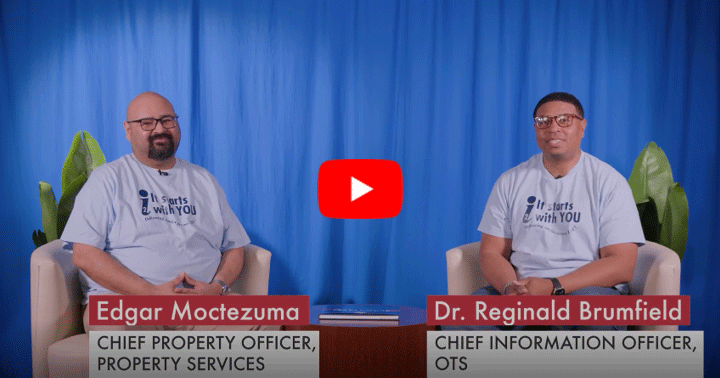
See i2 in action! Over 900 deliveries and counting!